Before you change
- Up to 3 changes per ticketA new date or a new entry time each counts as one change.
- At least 48 hours aheadChanges close 48 hours before your original entry time.
- Free, plus any differenceHigher-priced night: pay the difference. Lower-priced night: no refund of the difference.
- This season onlySubject to availability. Missed entry times can't be changed afterward.
Rain Checks from a cancelled night work differently. See Weather & Changes in our FAQ. Full rules are in Section 4 of our Ticketing Terms.
1
Create your account
Do this once. If you already have an account, sign in instead.
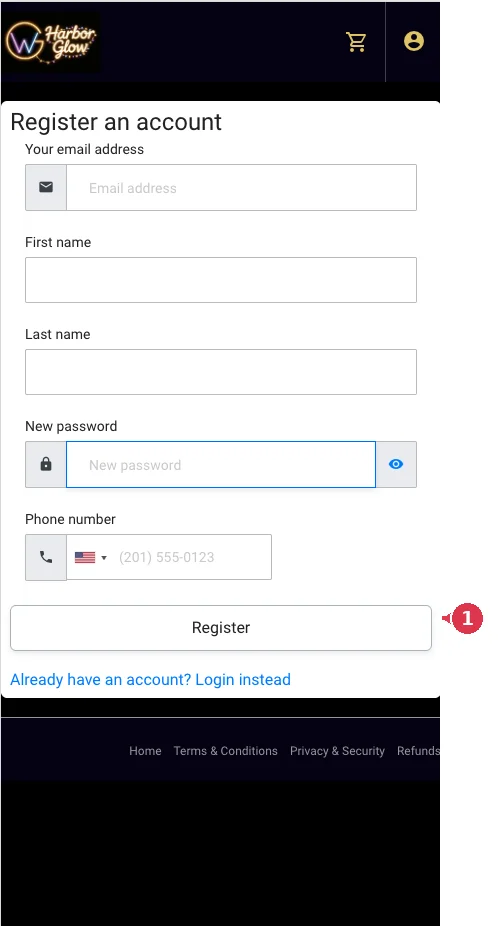
- Go to tickets.harborglownights.com/my-account/register.
- Register with the same email address you used to buy your tickets. Your orders appear automatically.
- Enter your name, create a password, add your phone number and select Register.
2
Find your order
Every change starts here.
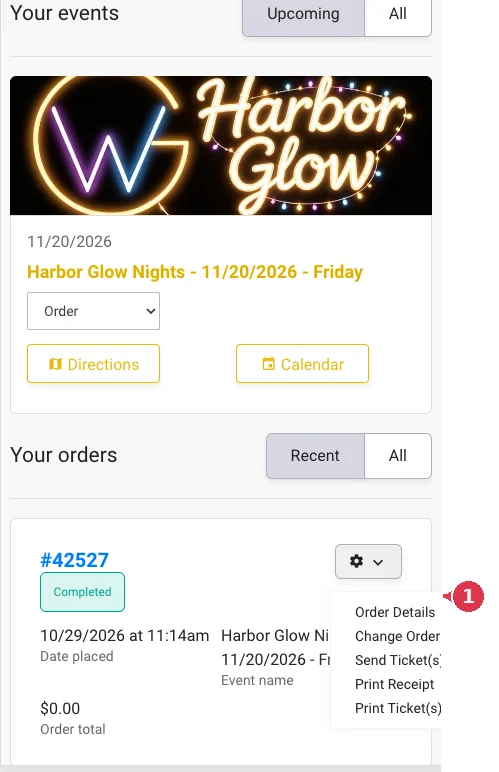
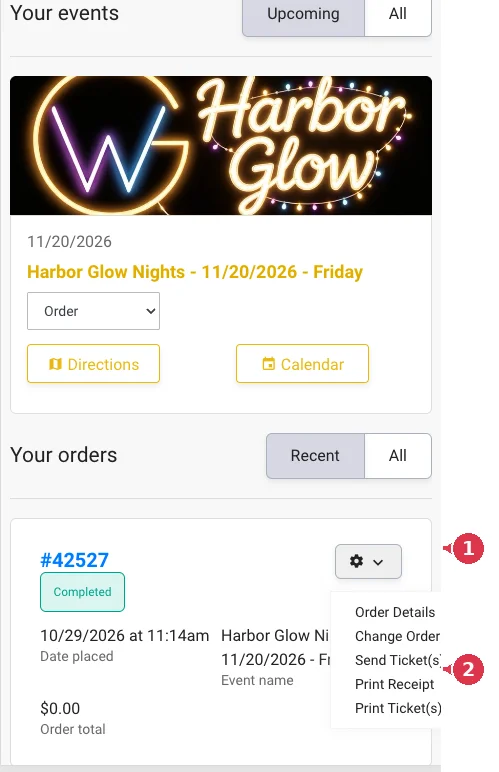
- Under Your orders, find the order and open the gear menu.
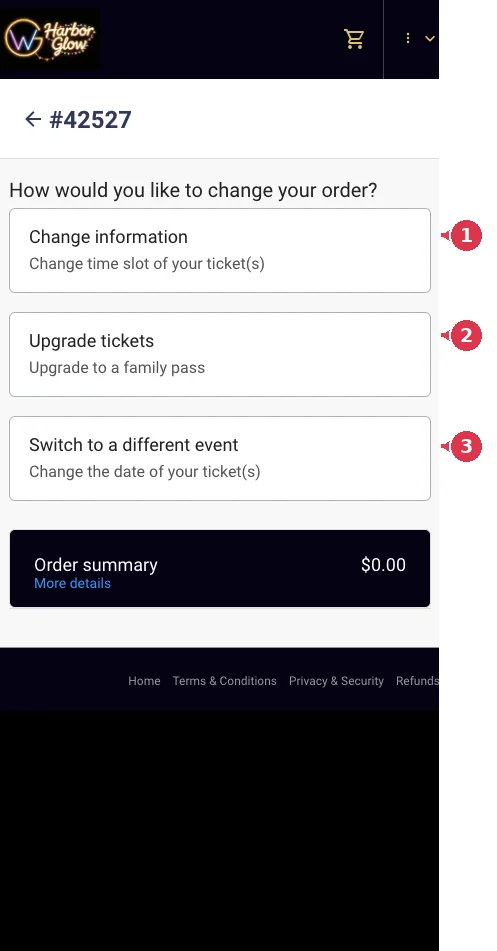
- Select Change Order to change a time, date or ticket type.
- To give tickets to someone else, select Send Ticket(s) instead (see step 6).
3
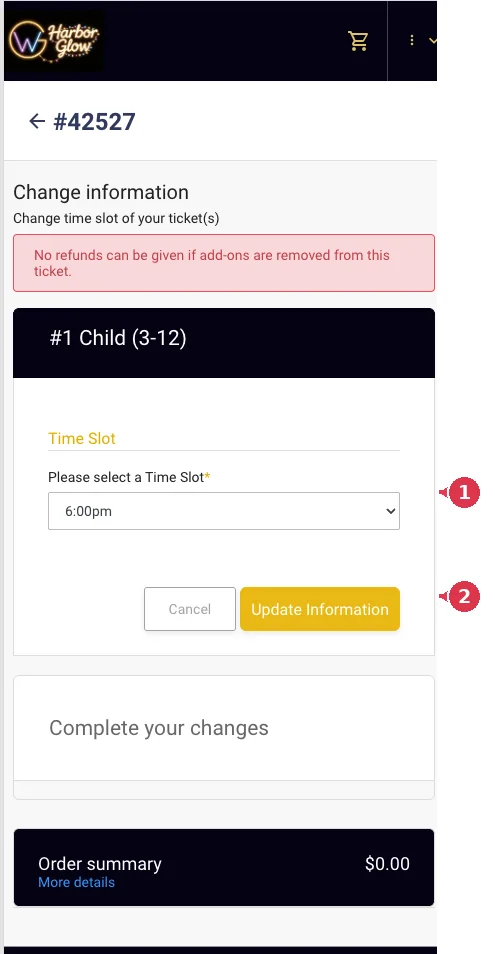
Change your entry time
Same night, different arrival time.
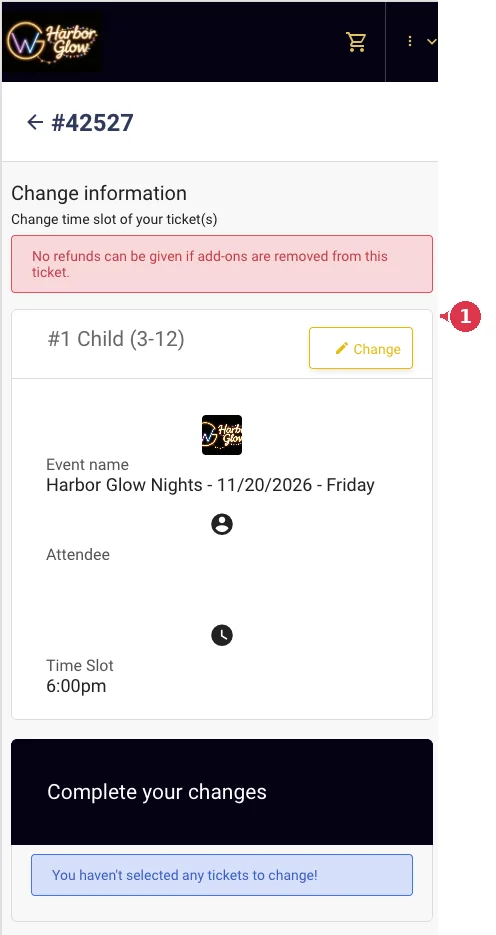
- On the Change Order screen, choose Change information.
- Select Change next to a ticket.
- Pick your new time slot and select Update Information.
- Repeat for each ticket. Tickets are updated one at a time.
4
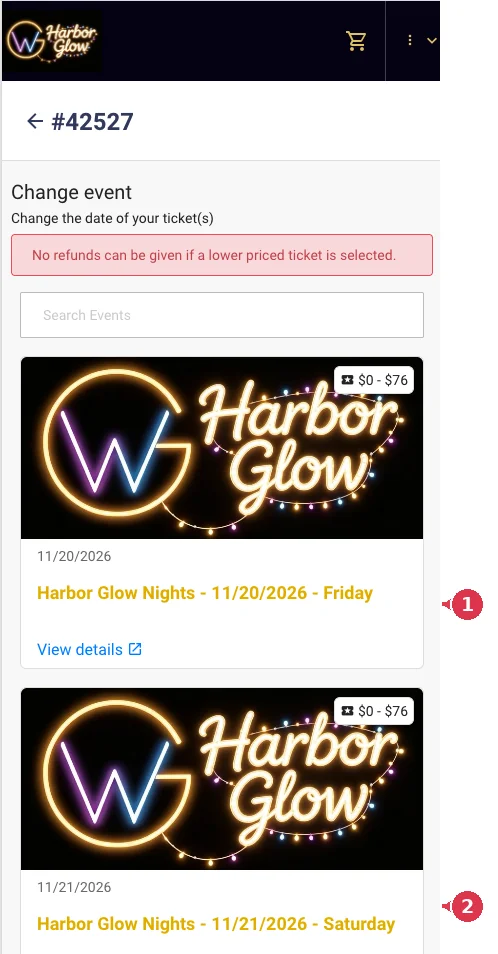
Change your date
Move your tickets to another night this season.
- On the Change Order screen, choose Switch to a different event.
- Select the new date and the ticket you want to move.
- Choose a time slot and select Update Information.
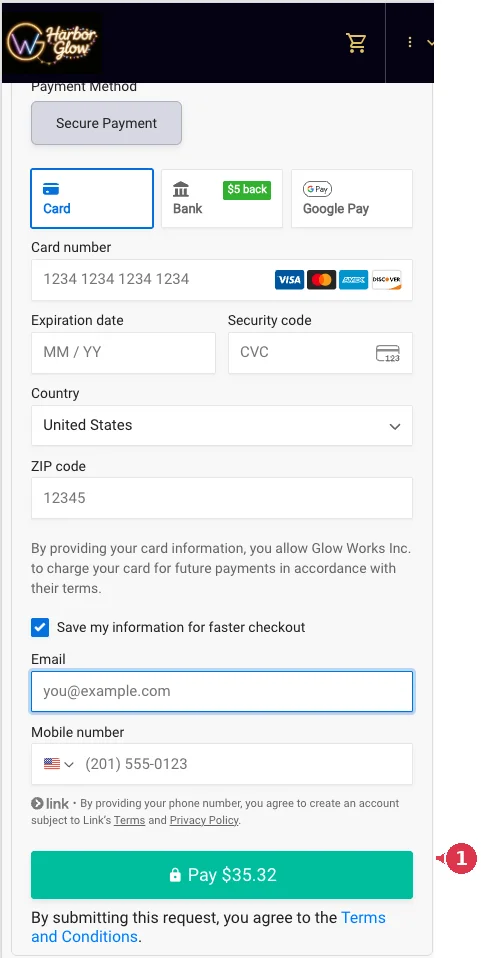
- Repeat for each ticket. If the new night costs more, pay the difference to finish.
5
Upgrade your tickets
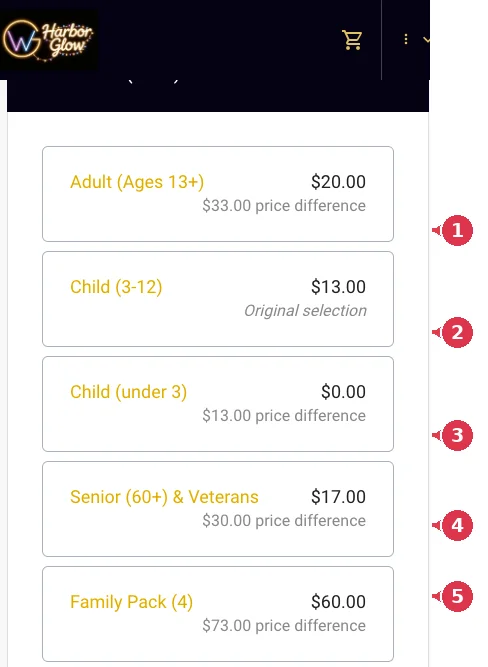
Switch to a different ticket type, for example a Family Pack.
- On the Change Order screen, choose Upgrade tickets.
- Select the ticket to upgrade and choose the new ticket type. Repeat for any other tickets.
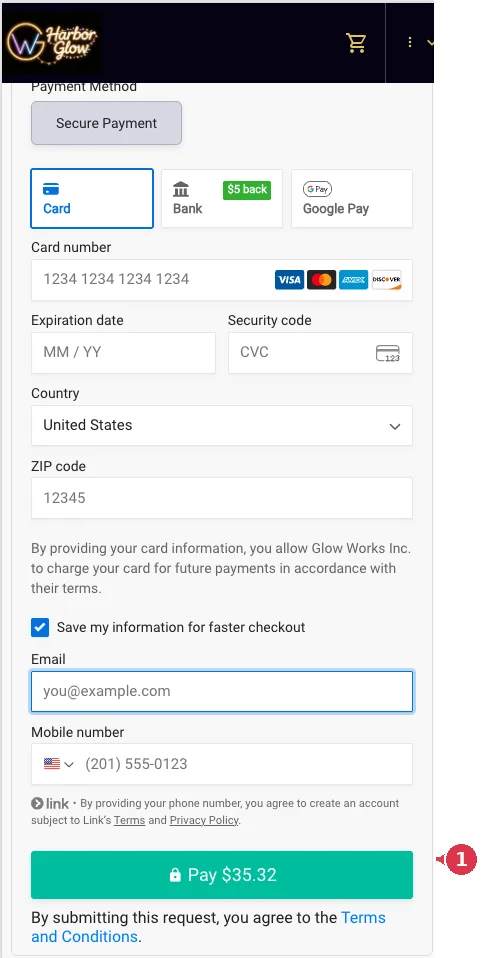
- Review the amount due and complete payment.
Prices in these screenshots are examples. Your total may differ.
6
Send tickets to someone else
Give a ticket to a friend or family member.
- Under Your orders, open the gear menu and select Send Ticket(s).
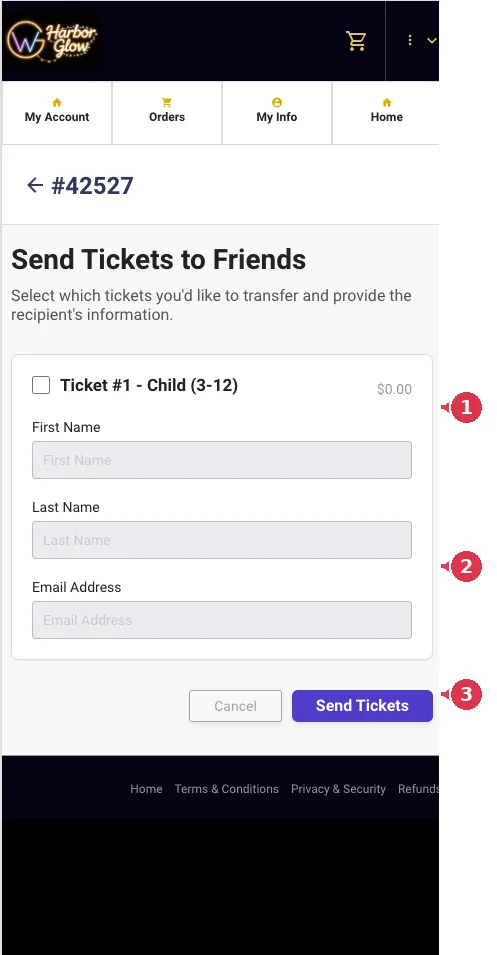
- Tick the box next to each ticket you want to send.
- Enter the recipient's first name, last name and email, then select Send Tickets.
Please let the recipient know our Ticketing Terms apply to them too.
Still need help?
Email info@harborglownights.com with your order number and we'll sort it out.